

Process injection is one of the most common techniques used by malware and APTs to evade detection and maintain persistence. As a SOC analyst transitioning from red team work, understanding these techniques from both offensive and defensive perspectives has been eye-opening.
What is Process Injection?
Process injection is a technique where malicious code is inserted into the address space of a legitimate running process. This allows attackers to:
- Hide malicious activity behind legitimate processes
- Evade detection by security tools that only monitor process creation
- Elevate privileges by injecting into higher-privileged processes
- Bypass application whitelisting by executing within trusted processes
Common Process Injection Flow
OpenProcess → VirtualAllocEx → WriteProcessMemory → CreateRemoteThreadStep 1: Find a target and get handle - OpenProcess
Attacker will find a target which must be a running process with the necessary privileges for injection (explorer.exe, svchost.exe, notepad.exe).
The necessary privileges are:
- PROCESS_VM_OPERATION for memory operations without this permission we cannot create a memory region in the target process for our shell code
- PROCESS_VM_WRITE for writing to the memory region in the target process
- PROCESS_CREATE_THREAD for creating a thread in the target process to execute the injected code Mostly injection techniques require these privileges. Some different techniques might require additional permissions but these are the core ones and I will not cover the special case in this post (just have no time XD)
After getting that process PID, attacker can call OpenProcess from WinAPI to obtain a handle to the target process.
OpenProcess(PROCESS_ALL_ACCESS, …, target_pid);Important (Detection indicator)
This mean some process open a handle to another process -> Can be found from the logs.
Step 2: Allocate memory in the target process - VirtualAllocEx
After get a handle, the attacker must allocate memory in the target process to store the malicious code or payload. This is done using the VirtualAllocEx function from the WinAPI, which allows allocation of memory in the address space of the target process.
VirtualAllocEx(target_handle, NULL, size, MEM_COMMIT | MEM_RESERVE, PAGE_EXECUTE_READWRITE);The PAGE_EXECUTE_READWRITE flag sets the allocated memory to be readable, writable, and executable, which is necessary for the injected code to run easily in most case. But in reality, this is not mandatory. The flag can be:
| Memory Protection | Meaning |
|---|---|
| PAGE_READWRITE (RW) | Only read + write |
| PAGE_EXECUTE_READ (RX) | Only read + execute |
| PAGE_EXECUTE_READWRITE (RWX) | Read + write + execute |
| PAGE_EXECUTE_WRITECOPY | Copy-on-write |
Attacker can use RW and change to RX later. But the RWX is the most common choice for simplicity.
Important (Detection indicator)
So from the hunter perspective, seeing an allocated memory region with PAGE_EXECUTE_READWRITE permissions in a process that normally wouldn’t have such permissions can be a strong indicator of process injection.
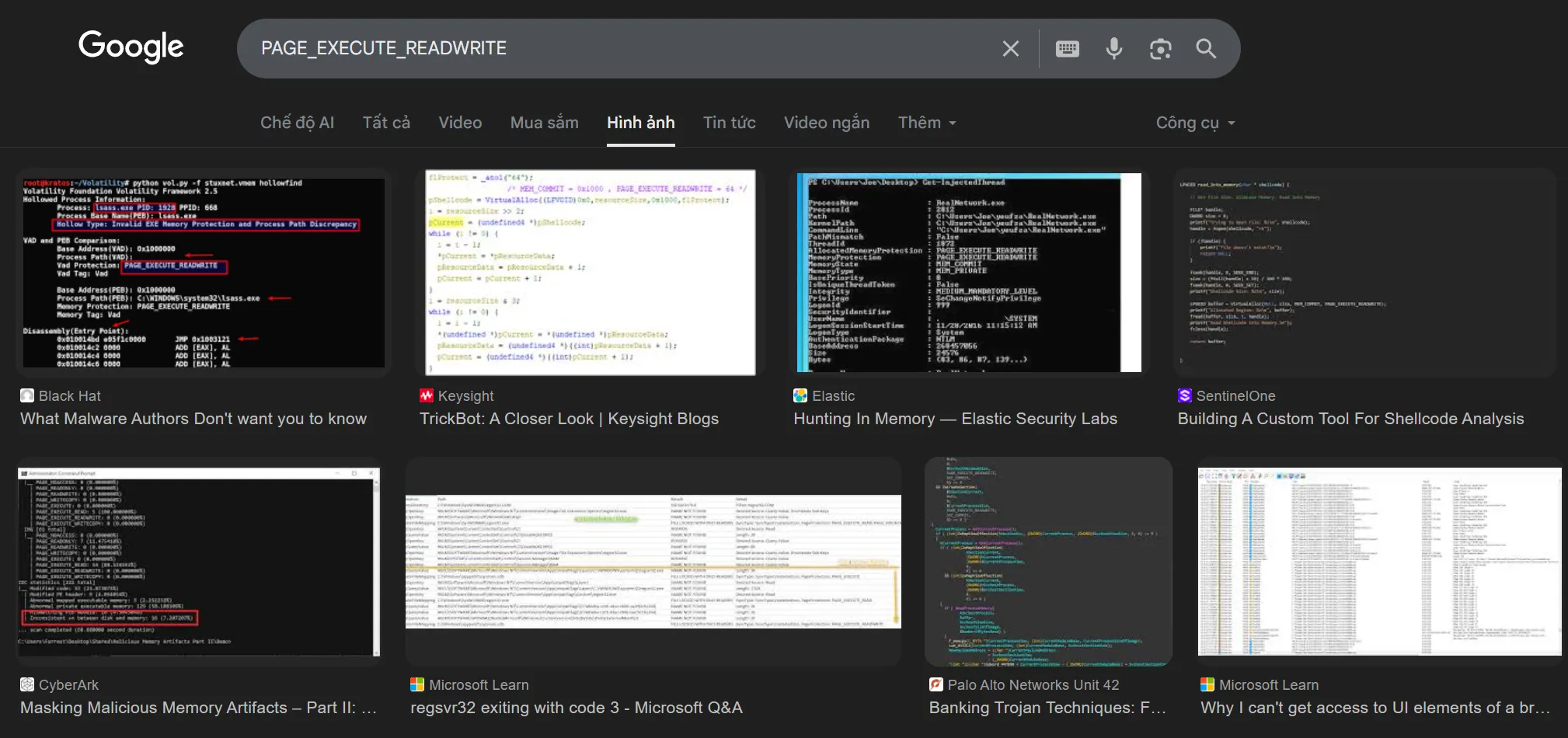
Just google this we can see that mostly RWX is used for a process injection example.
Step 3: Write the malicious code into the allocated memory - WriteProcessMemory
After allocating memory in the target process, the attacker writes the malicious code or payload into this memory region using the WriteProcessMemory function from the WinAPI.
WriteProcessMemory(target_handle, alloc_addr, malicious_code, code_size, &written);This function copies the malicious code from the attacker’s process into the allocated memory of the target process. The payload could be raw shellcode, a DLL, or any other executable code that the attacker wants to run within the context of the target process.
Important (Detection indicator)
So the indicator here is that seeing VirtualAllocEx → WriteProcessMemory in the same process. Or Process A write code to memory of Process B.
Step 4: Create a remote thread in the target process - CreateRemoteThread
CreateRemoteThread(target_handle, NULL, 0, alloc_addr, NULL, 0, &thread_id);The meaning of this is the attacker create a new thread in the target process that starts execution at the address of the allocated memory containing the malicious code.
Or attacker can use
NtCreateThreadEx- an API in NTDLL level -> this is more stealth. But my initial learning will save this techinque to another post when we go deep to that
Important (Detection indicator)
The indicator here is seeing a thread that starts execution at an address in another process’s memory space, especially if that memory was recently allocated and written to.
Common Process Injection Techniques
Shellcode / PE Injection
In step 3, attacker write raw shell code or PE file directly into the allocated memory of the target process.
PE = Portable Executable - which is the file format for executables, DLLs, and others in Windows. PE file have:
- DOS Header: always start with
4D 5Aand have a special valuee_lfanewwhich is offset to the NT header- NT Header
- Section Headers If attacker inject the whole shell code or the whole PE file, in disk there is no evidence of the malicious code but the payload still persit in mem.
Important (Detection indicator)
- Module have no path on disk
- Memory region have header like a PE file
- RWX memory region
DLL Injection
In step 3, instead of inject shell code, attacker write DLL path and create a remote thread call LoadLibraryA to load malicious DLL.
Important (Detection indicator)
Process load an DLL from a path that is not typical or suspicious location can be an indicator of DLL injection (Temp, AppData, etc.).
Process Hollowing
- Create a normal process in suspended state (eg:
svchost.exe) - Use
ZwUnmapViewOfSectionto unmap the original image of that process - Map malicious PE into the address space of that process
- Fix PE header, section, context, then ResumeThread
Important (Detection indicator)
- Image path on disk does not match the memory
- EntryPoint not matching the original process
APC Injection / Early Bird APC
APC = Asynchronous Procedure Call It’s like a call back function, if thread is in alertable state, the APC will be executed
- So if attacker queue an APC to a thread in the target process and when that thread enter alertable state, the malicious code will be executed in legitimate thread.
- Early-bird: inject right after process create but before running legitimate code
Important (Detection indicator)
- Not normal APC queue
- APC start address is in invalid memory area
How to Identify Process Injection
From my learning journey, I’ve found that detecting process injection requires multiple layers of visibility and the right mindset. Here are the key approaches:
1. Monitor Key API Calls
Set up monitoring for suspicious API call sequences:
OpenProcess→VirtualAllocEx→WriteProcessMemory→CreateRemoteThreadCreateProcesswithCREATE_SUSPENDEDflagQueueUserAPC/NtQueueApcThreadZwUnmapViewOfSection/NtUnmapViewOfSection
Tools like Sysmon (Event ID 8, 10) and ETW (Event Tracing for Windows) can help capture these activities.
2. Memory Analysis
Use tools to inspect process memory:
- Process Explorer: Check for unsigned DLLs, modules without file paths
- Process Hacker: Inspect memory regions with
RWXpermissions - Volatility: Offline memory forensics to find hidden injections
- PE-sieve: Scan for injected code and replaced modules
Look for:
- Memory regions with
PAGE_EXECUTE_READWRITEpermissions - PE headers in memory without corresponding files on disk
- Modules loaded from suspicious paths
3. Behavioral Analysis
Watch for anomalous process behavior:
- Legitimate processes making network connections they shouldn’t
Explorer.exeorsvchost.exespawning unusual child processes- Processes with mismatched parent-child relationships
- Unexpected DLLs loaded in system processes
Resources
Tools:
- Sysinternals Suite - Process Explorer, Process Monitor
- PE-sieve - Scans for process tampering
- Sysmon - Advanced process monitoring
Learning:
- MITRE ATT&CK T1055 - Process Injection techniques
- Malware Development: Process Injection by crow
This is part 2 of my “Building My Blue Team Skills from the Ground Up” series. The journey from offense to defense continues. If you’re on a similar path, or have insights to share about process injection detection, I’d love to connect.
Follow along as I document this transition — the wins, the challenges, and everything in between.